> ## Documentation Index
> Fetch the complete documentation index at: https://docs.parse.bot/llms.txt
> Use this file to discover all available pages before exploring further.
# Dashboard guide
> Build, test, and revise APIs in the Parse dashboard — then call them from your code
The fastest way to build an API is in the [dashboard](https://parse.bot). You paste a URL, Parse builds the API, and you test and revise it visually before wiring it into your app. This guide walks the full UI flow.
## 1. Create a new API
Click **+ New** in the top-left of the nav. Paste the URL you want data from, describe what you need, and Parse either matches an existing API or builds a new one.
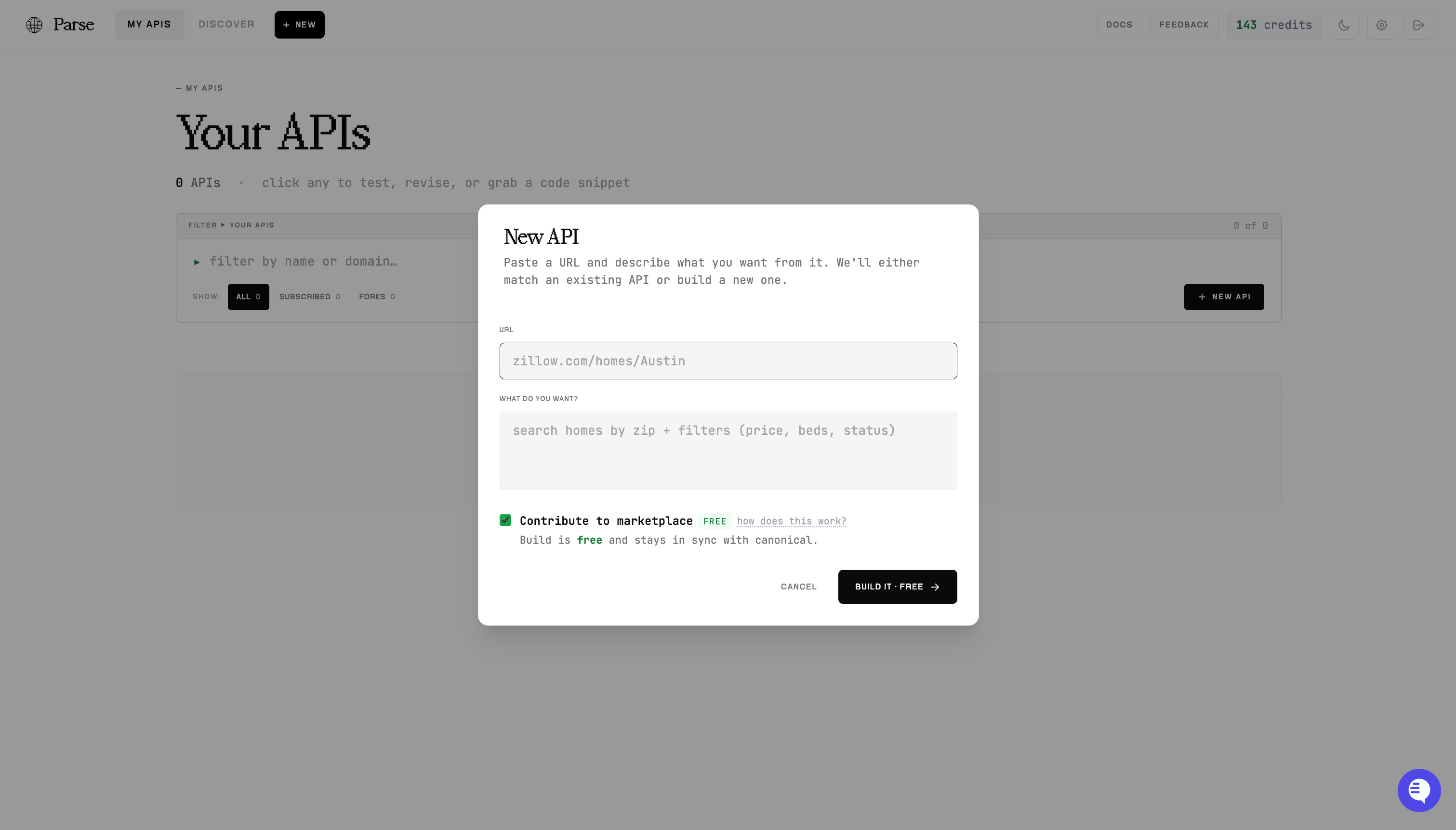 The **Contribute to marketplace** toggle controls whether your API stays linked to the shared canonical for its domain:
* **On** (default) — the build is **free**, and your API stays in sync with the canonical so you can [pull upstream improvements](/updates).
* **Off** — a fully private, desynced API. This build is charged, and the choice is permanent.
Builds typically take \~60 seconds. You'll watch progress live, and the API lands in **My APIs**.
## 2. Or start from an existing one
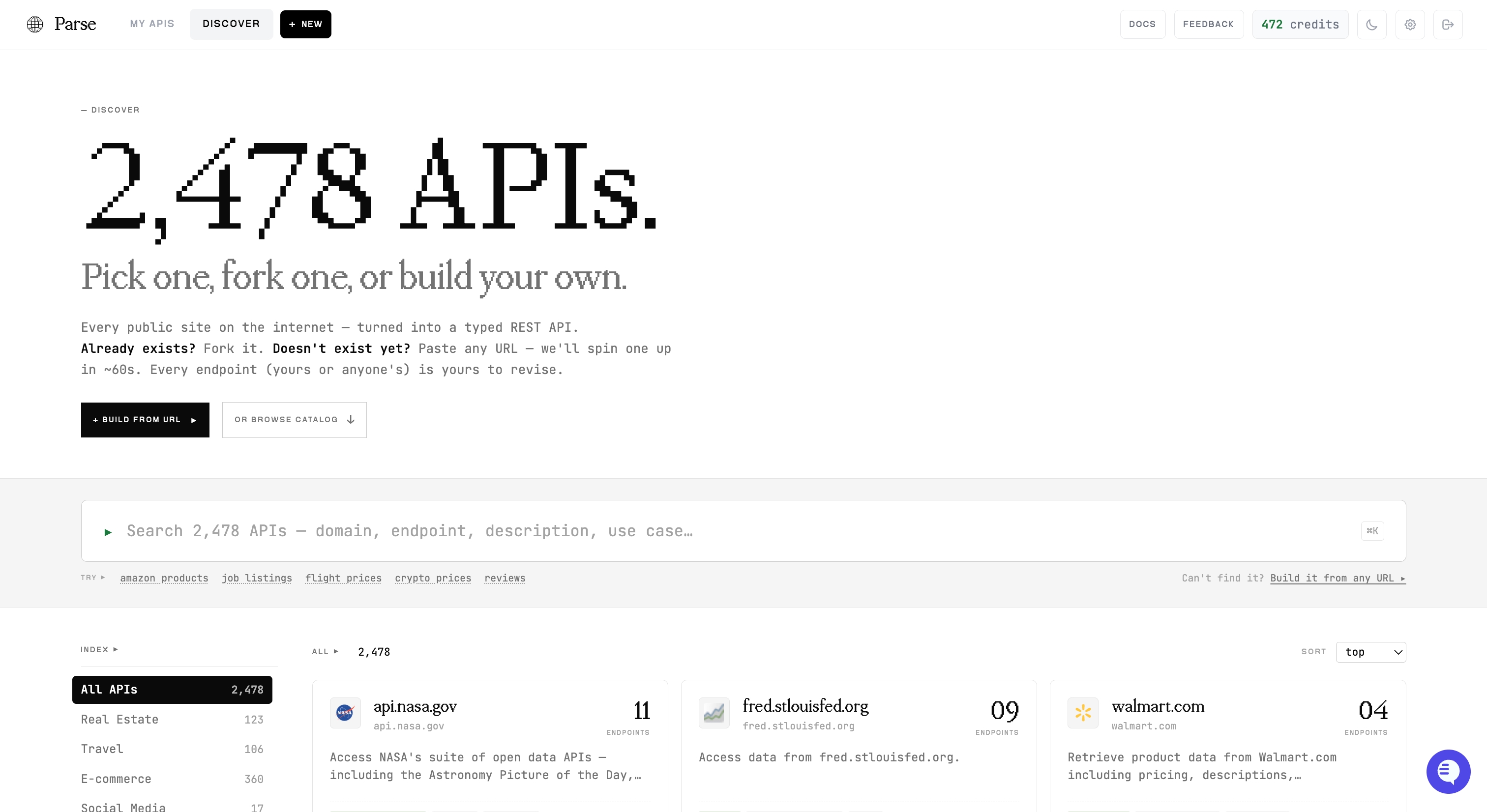
Thousands of sites are already built. Open **Discover** to search the [marketplace](/marketplace) and fork or subscribe to an existing API instead of building from scratch.
The **Contribute to marketplace** toggle controls whether your API stays linked to the shared canonical for its domain:
* **On** (default) — the build is **free**, and your API stays in sync with the canonical so you can [pull upstream improvements](/updates).
* **Off** — a fully private, desynced API. This build is charged, and the choice is permanent.
Builds typically take \~60 seconds. You'll watch progress live, and the API lands in **My APIs**.
## 2. Or start from an existing one
Thousands of sites are already built. Open **Discover** to search the [marketplace](/marketplace) and fork or subscribe to an existing API instead of building from scratch.
 ## 3. Test endpoints in the browser
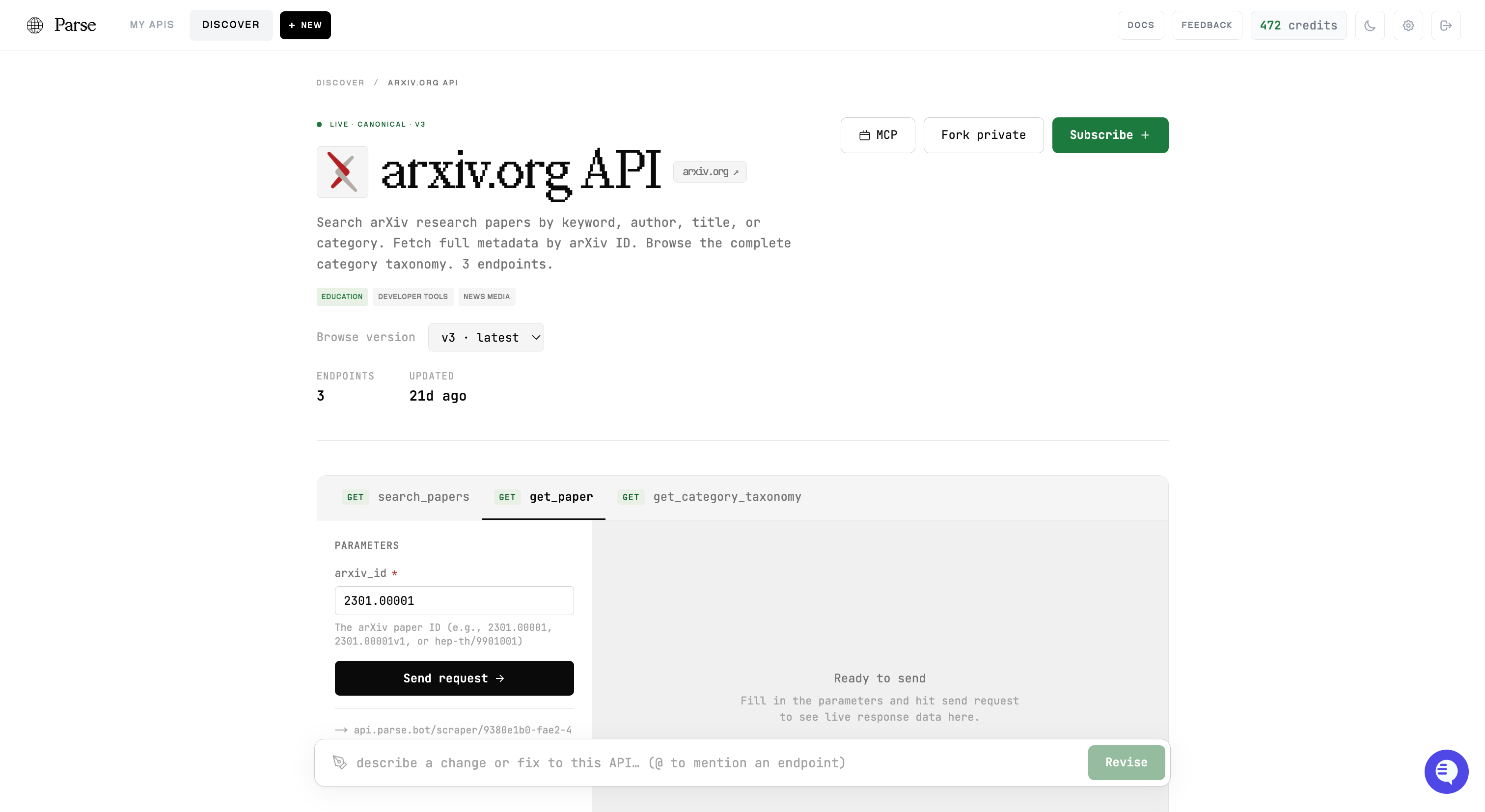
Open any API to see its endpoints. Pick one, fill in the parameters, and hit **Send request** to run it live and see the real response — no code required. This is the quickest way to confirm an endpoint returns what you expect.
## 3. Test endpoints in the browser
Open any API to see its endpoints. Pick one, fill in the parameters, and hit **Send request** to run it live and see the real response — no code required. This is the quickest way to confirm an endpoint returns what you expect.
 ## 4. Revise in plain English
Not quite right? Use the **revision bar** at the bottom of any API page. Describe the change — "add a search-by-category endpoint", "include the publish date in get\_paper" — and Parse revises the API for you. Mention a specific endpoint with `@`. Revisions run the same way a build does; the `scraper_id` stays the same.
## 5. Grab a code snippet
Once it works, scroll to **Now plug it in**. Copy a ready-to-run snippet — cURL, Python, TypeScript, an MCP config, or the OpenAPI spec — with your API's real URL and IDs already filled in.
## 4. Revise in plain English
Not quite right? Use the **revision bar** at the bottom of any API page. Describe the change — "add a search-by-category endpoint", "include the publish date in get\_paper" — and Parse revises the API for you. Mention a specific endpoint with `@`. Revisions run the same way a build does; the `scraper_id` stays the same.
## 5. Grab a code snippet
Once it works, scroll to **Now plug it in**. Copy a ready-to-run snippet — cURL, Python, TypeScript, an MCP config, or the OpenAPI spec — with your API's real URL and IDs already filled in.
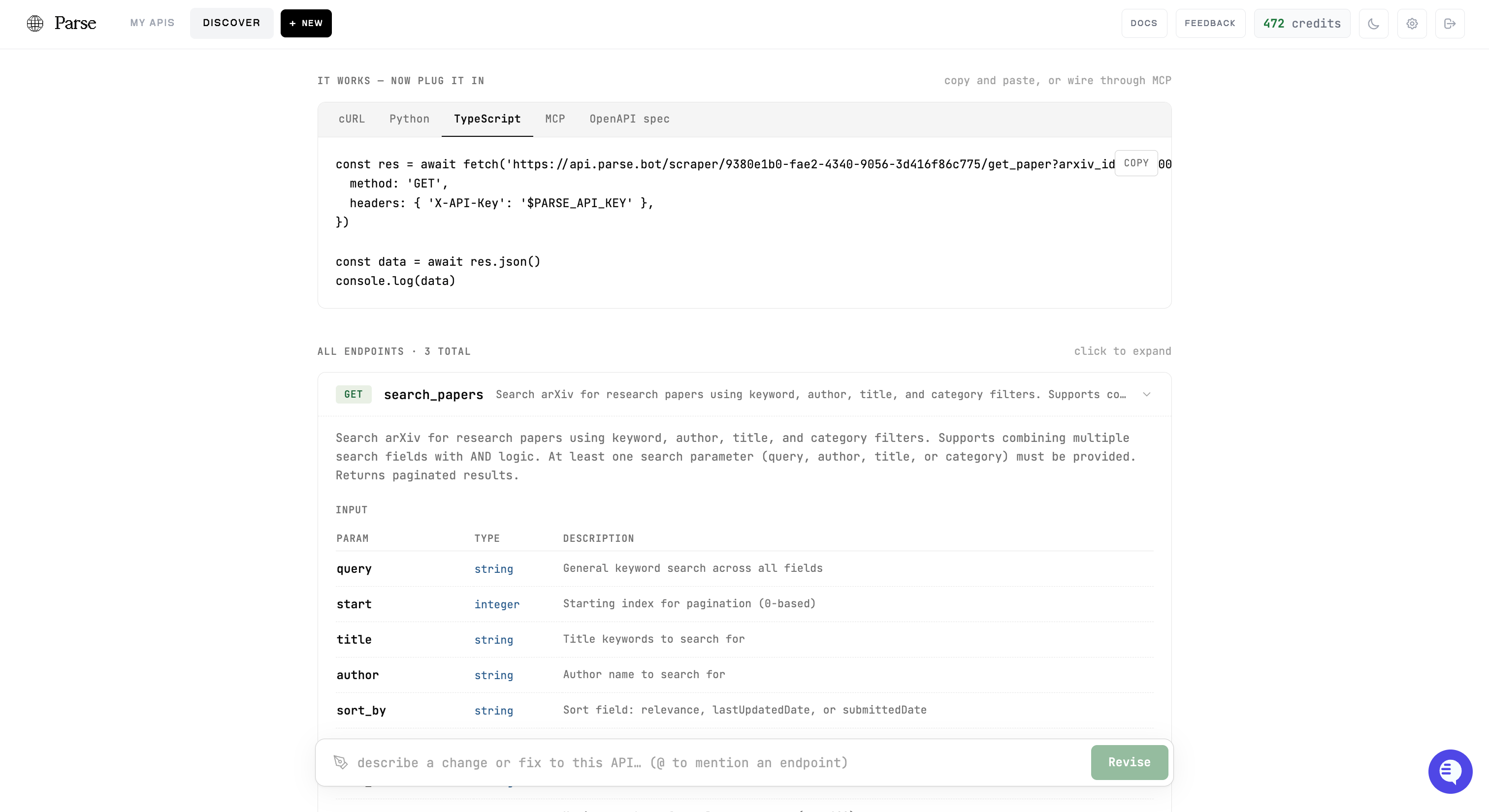 The snippet calls the same execution endpoint documented throughout these docs:
```
POST https://api.parse.bot/scraper/{scraper_id}/{endpoint_name}
```
## Next steps
Call your endpoints from code, end to end
Full Python & JavaScript clients
Pull upstream improvements into your API
Connect an AI agent to all your APIs
The snippet calls the same execution endpoint documented throughout these docs:
```
POST https://api.parse.bot/scraper/{scraper_id}/{endpoint_name}
```
## Next steps
Call your endpoints from code, end to end
Full Python & JavaScript clients
Pull upstream improvements into your API
Connect an AI agent to all your APIs